Quickstart
📦Space Cargo SourceGenerates random cargo boxes
🔍Contraband FilterFlags dangerous Alien Eggs
🚨Customs Alert MapFormats quarantine alerts
🖨️Printing SinkPrints alerts to terminal
🖥️Live Radar (Web UI)Live graph on localhost:8080
Prerequisites
☕Java 11+
🪶Maven
💻IntelliJ IDEA
1. Clone the project
git clone https://github.com/Sekelenao/Flinkboot-Quickstart.git
cd Flinkboot-Quickstart
2. IntelliJ IDEA setup
Flink runtime dependencies are scoped as provided so fat JARs stay lightweight for remote clusters. To run locally in IntelliJ IDEA without a ClassNotFoundException, enable provided dependencies on the classpath:
1
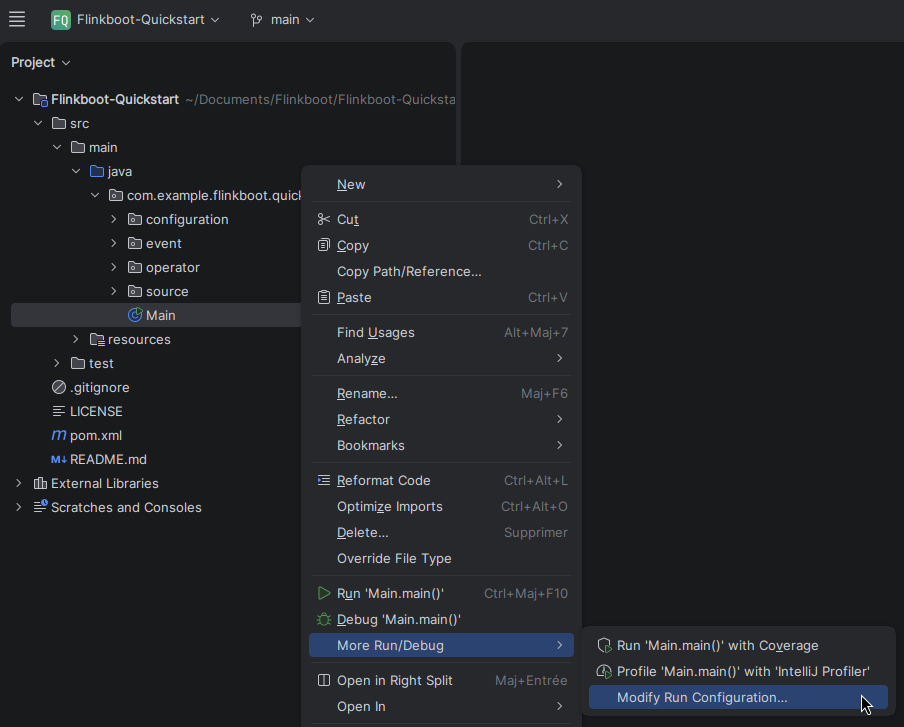
Open Run Configuration
Right-click Main.java > More Run/Debug > Modify Run Configuration...
2
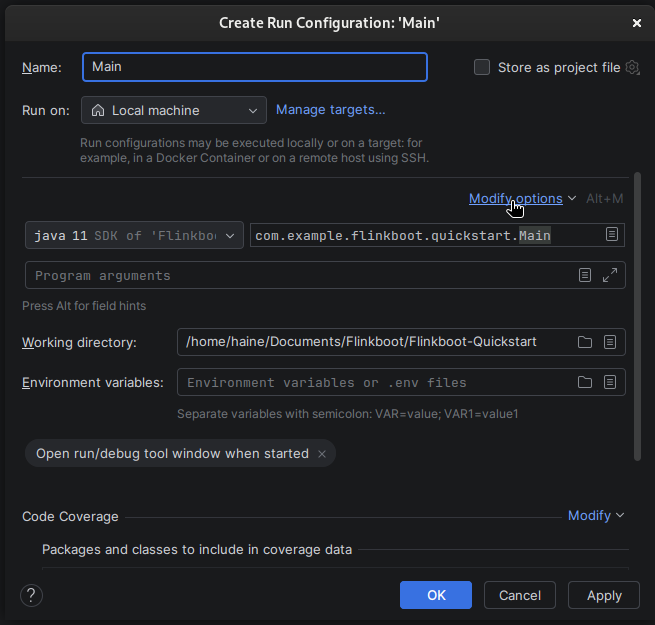
Access options
In the top-right of the modal, click Modify options (or press Alt + M).
3
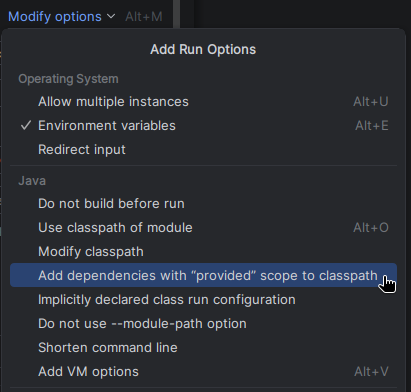
Include provided dependencies
Under Java, check Add dependencies with "provided" scope to classpath.
4
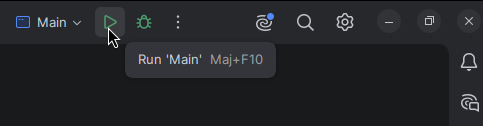
Launch
Click Apply, then hit the green Run 'Main' button!
3. Watch the scanner run live!
Your pipeline is actively streaming data and inspecting cargo boxes in real time. The output prints directly in your IntelliJ console, and by default, a local Flink Web UI is available at http://localhost:8080.